
This manual guides users on connecting, setting up the internet, configuring Wi-Fi, and managing the router via the HiLink APP.
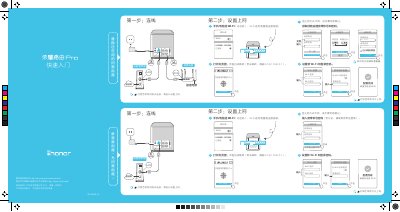
This document provides instructions for the initial setup of the Honor Router Pro. It covers connecting the device to power and the internet, either by entering broadband credentials or cloning settings from an existing router. It also details how to configure a new Wi-Fi name and password. This manual is written in Chinese.
Ensure the router is connected to power and wait a moment for it to complete startup, then rescan.
Connect to the router Wi-Fi and enter '192.168.3.1' in the browser if the page does not auto-jump.
Power on the router, then press and hold the reset button for more than 10 seconds until the light goes out and turns orange.