
Reference guide showing how to use the HT46R22 microcontroller's general I/O ports to drive an LCD display.
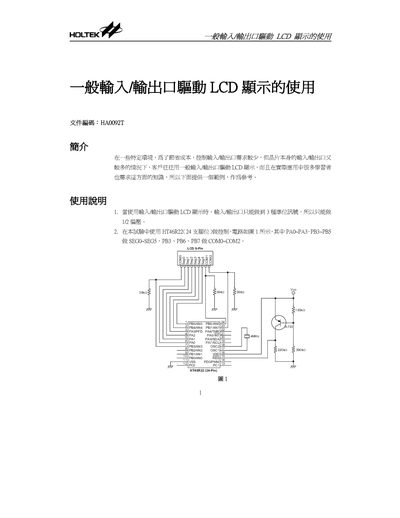
This document explains the principle and wiring for driving an LCD with limited I/O pins using the HT46R22 24‑pin microcontroller. It describes how to configure COM and SEG lines, set pull‑up/pull‑down resistors, and achieve three voltage levels (VDD, ½ VDD, 0 VDD) for LCD segments.
A complete program example is provided, including initialization, timer interrupt handling, segment and COM pulse generation, and a BCD table for displaying numbers 0‑99. The source code is written in assembly and shows how to map PA0‑PA3 and PB3‑PB7 to segment and COM signals. This manual is written in Chinese.
| System Voltage | 3.0 V |
|---|---|
| System Frequency | 4 MHz |
| Oscillator Type | Crystal |
| Package Pins | 24 pins |
PA0‑PA3 and PB3‑PB5 are used for SEG0‑SEG5, while PB3, PB6, and PB7 are used for COM0‑COM2.