
The Grandstream GXP1628 Small Business Gigabit HD IP Phone Quick Installation Guide covers package contents, phone setup, network connection, and basic…
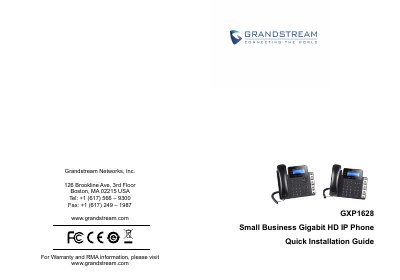
The Grandstream GXP1628 is a Small Business Gigabit HD IP phone with 2 lines, 2 SIP accounts, a 132x48 backlit graphical LCD, 3 XML programmable context-sensitive soft keys, dual-switched gigabit network ports with integrated PoE, 8 BLF keys, and 3-way conference. It delivers HD wideband audio and a full-duplex hands-free speakerphone with advanced acoustic echo cancellation.
This quick installation guide lists package contents, explains how to install the BLF paper label and phone stand or wall mount, and describes connecting the handset, LAN, power, and headset. It also covers keypad and web browser configuration, including default login credentials and SIP settings.
| Lines | 2 lines with 2 SIP accounts |
|---|---|
| Display | 132x48 backlit graphical LCD |
| Soft keys | 3 XML programmable context-sensitive soft keys |
| Network ports | dual-switched gigabit network ports integrated PoE |
| BLF keys | 8 BLF keys |
| Conference | 3-way conference |
| Audio | HD wideband audio |
| Speakerphone | full-duplex hands-free speakerphone |
| Echo cancellation | advanced acoustic echo cancellation |
| Power adapter | 5V |
The default administrator username and password are "admin".
The default end-user username is "user" and the password is "123".
It has 8 BLF keys and supports 3-way conference.
Yes, it has dual-switched gigabit network ports with integrated PoE.