
User manual for ELKO EP RFSAI switch units with external button input, featuring relay control, RFIO2 communication, and programmable output functions.
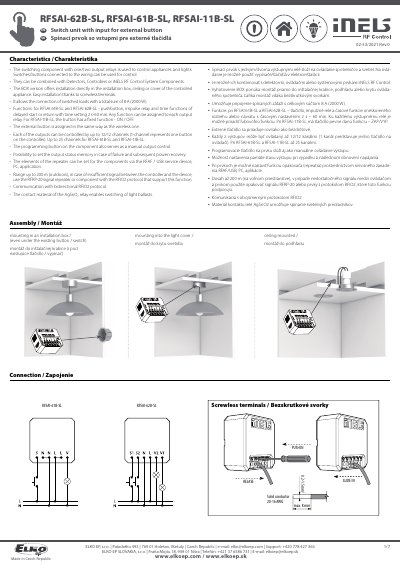
This document provides instructions for installing and programming the ELKO EP RFSAI series switch units, which control appliances and lights via external buttons or wireless controls. The units support up to two output relays, with configurable functions including pushbutton, impulse relay, and timed delays. Installation is simplified with screwless terminals and options for mounting in boxes, ceilings, or appliance covers. Communication uses the bidirectional RFIO2 protocol, and outputs can be managed via a programming button or connected to iNELS RF Control systems.
The manual details terminal connections, channel selection, LED indicators, and manual control methods. It also covers compatibility with RFIO2 devices and signal repeaters for extended range, with specifications for load capacity and relay contact material (AgSnO2). This manual is written in Chinese.
| Output Relays | 1 or 2 |
|---|---|
| Load Capacity | 8A (2000W) |
| Relay Contact Material | AgSnO2 |
| Communication Protocol | Bidirectional RFIO2 |
| Maximum Channels | 25 |
The units support a total load of 8A (2000W).
Press the PROG button for 1–3 seconds to select a channel for RFSAI-62B-SL, or longer than 1 second for RFSAI-61B-SL and RFSAI-11B-SL.
The units use the bidirectional RFIO2 protocol for communication.