
Operation guide for the CT CT100 communicating Z-Wave thermostat, covering screen navigation, settings, and network configuration.
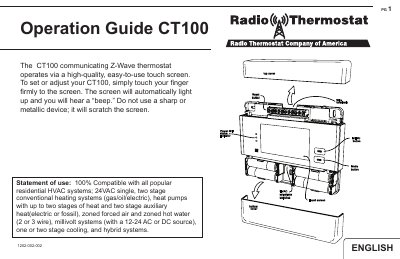
The CT100 is a communicating Z-Wave thermostat featuring a high-quality touch screen for easy operation. It is compatible with various residential HVAC systems, including single and two-stage heating, heat pumps, and cooling systems. The device allows users to adjust modes, set temperatures, and configure settings via HOME, MENU, and MANUAL screens.
Key features include Z-Wave network inclusion and exclusion, temperature calibration, and manual overrides for emergency heat. The guide details how to set the time, toggle between Fahrenheit and Celsius, manage fan status, and utilize the built-in Z-Wave radio for smart home integration.
| Communication Protocol | Z-Wave |
|---|---|
| Display Type | Touch screen |
| Temperature Range Adjustment | -6°F to +6°F |
| Swing Range | 0.5 to 4.0°F |
| Minimum Cycle Time | 4 minutes |
Touch the Time of Day arrows to move the selection forward or backward until it displays the current time.
Touch the oF/oC icon on the screen to toggle the temperature display scale.
It will remain a frequent listening routing slave (FLiRS) node until removed from the network.