
This is the Quick Start Guide for the Creative VF0880 webcam, covering setup, tripod mounting, and app features.
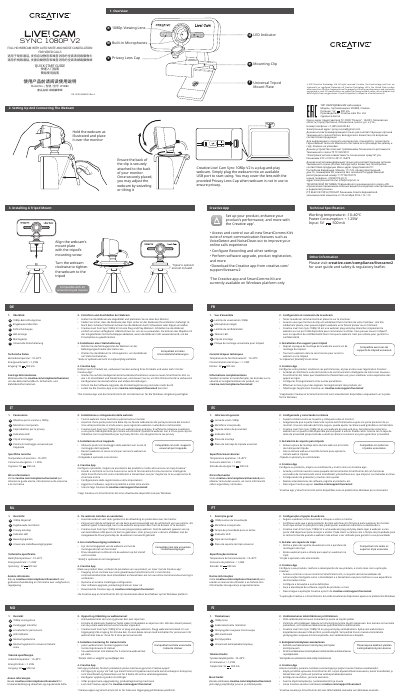
This document is the Quick Start Guide for the Creative VF0880 webcam. It provides instructions on setting up the device, connecting it via USB, and mounting it on a monitor or tripod. The guide also explains how to use the included privacy lens cap and the Creative app for enhanced features. This manual is written in Chinese.
| Resolution | 1080p |
|---|---|
| Operating Temperature | -10–40°C |
| Power Consumption | < 1.25W |
| Input Voltage | 5V 500 mA |
| Microphone | Built-in |
No, the tripod is optional and not included in the package.
Yes, you can cover the lens with the provided Privacy Lens Cap when the webcam is not in use.
The Creative app and SmartComms Kit are currently available on the Windows platform only.