
The CP238 handheld public intercom user manual explains operation, battery handling, channel settings, and safety precautions.
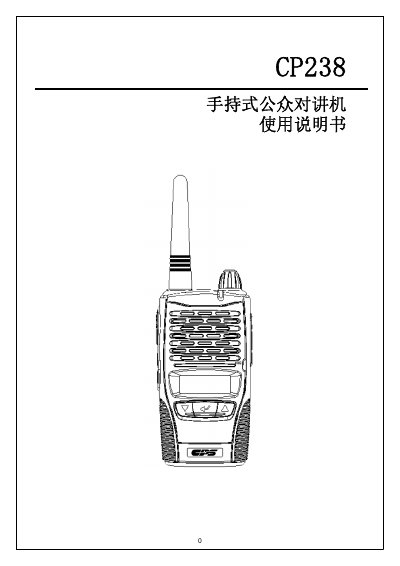
This manual provides a complete overview of the CP238 handheld public intercom, covering its key functions such as power on/off, transmission, reception, channel selection, power level adjustment, scanning, CTCSS/DCS coding, monitoring, emergency call, LCD backlight control, keyboard lock, and menu navigation. Detailed instructions are given for installing and removing the lithium‑ion battery pack, charging procedures, and interpreting the CTCSS/DCS tables.
Safety information is included to guide proper use in various environments, and a technical specification section lists the radio’s performance parameters, dimensions, and power requirements. This manual is written in Chinese.
| Frequency Range | 409.7500 – 409.9875 MHz |
|---|---|
| Number of Channels | 20 |
| Channel Spacing | 12.5 kHz |
| Operating Voltage | 7.4 VDC |
| Modulation | FM |
| Dimensions (W×H×D) | 103 × 56 × 40 mm |
| Weight (including battery) | 250 g |
| Transmitter Output Power | 0.5 W |
| Frequency Stability | ±2.5 ppm (‑30 °C ~ +60 °C) |
| Transmitter Spurious Emissions | < 50 µW |
| Hum and Noise | 38 dB |
| Audio Distortion | 3 % |
| Receiver Sensitivity (12 dB SINAD) | 0.2 µV (‑121 dBm) |
| Squelch Sensitivity (Threshold) | 0.14 µV (‑124 dBm) |
| Selectivity | 60 dB |
| Receiver Spurious Emissions | < 20 nW |
| Audio Output Power | 0.5 W into 8 Ω |
Turn the device on by rotating the power/volume knob clockwise; turn it off by rotating it counter‑clockwise.
Press the ▲ or ▼ keys to select a channel; holding the key speeds up channel scrolling.
Press and hold the emergency call key for about 3 seconds; the radio will transmit an alert on the current channel while the LCD shows “EMERGEN”.
Hold the & key and press ▲ to lock (LCD shows “KEYLOCK”); hold & and press ▼ to unlock (LCD shows “LOCKOFF”).