
Key facts
- Manuals
- 4
- Categories
- 1
- Languages
- ZH
- Last added
- 2026-10-03
Featured CP manuals
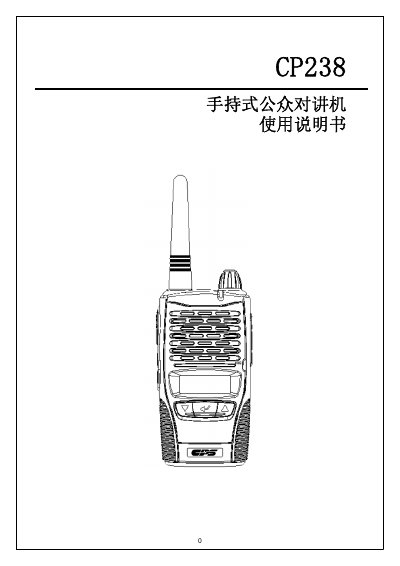
CP238 Handheld Public Intercom User Manual
This manual provides a complete overview of the CP238 handheld public intercom, covering its key functions such as power on/off, transmission, reception, channel selection, power level adjustment, scanning, CTCSS/DCS coding, monitoring, emergency call, LCD backlight control, keyboard lock, and menu navigation. Detailed instructions are given for installing and removing the lithium‑ion battery pack, charging procedures, and interpreting the CTCSS/DCS tables.
Safety information is included to guide proper use in various environments, and a technical specification section lists the radio’s performance parameters, dimensions, and power requirements. This manual is written in Chinese.
Covers: Overview · Control Keys and Display · General Operation · Battery Installation and Removal · CTCSS/DCS Table · Frequency Table
Latest CP manuals
CP238 Handheld Public Intercom User Manual
User Manual 24 pages · 1018 KB · ZHThe CP238 handheld public intercom user manual explains operation, battery handling, channel settings, and safety precautions.
CP Clare HIGH-SPEED TRANSIENT SURGE PROTECTORS UNI-IMPS
CP Clare's UNI-IMP high-speed transient surge protectors (0.55-20kV) provide the ultimate protection from high-energy, fast-rising transients such as Nuclear EMP.
CP Clare TD/TN Series handbook
CP Clare's TD Series of gas discharge microwave noise tubes and TN Series of gas discharge microwave noise sources are the element in a microwave RF system that allows accurate measurements of the noise figure of the receiver or its components.
CP Clare HIGH ENERGY SPARK GAP DEVICES TG Legacy Series handbook
The TG Legacy Series of two electrode sparkgaps excel in applications that require the efficient transfer of high voltage, high energy pulses and DC overvoltage protection for magnetrons, diodes, capacitors, etc.
Which document do I need?
User Manual
Day-to-day operation, settings and troubleshooting. Start here if the product is already set up.
Questions answered in CP manuals
How do I turn the CP238 on and off?
Turn the device on by rotating the power/volume knob clockwise; turn it off by rotating it counter‑clockwise.
How can I change the operating channel?
Press the ▲ or ▼ keys to select a channel; holding the key speeds up channel scrolling.