
This Cisco Self Care Portal user guide explains how to log in, manage speed dials, voicemail, contacts, call forwarding, and change web passwords and phone…
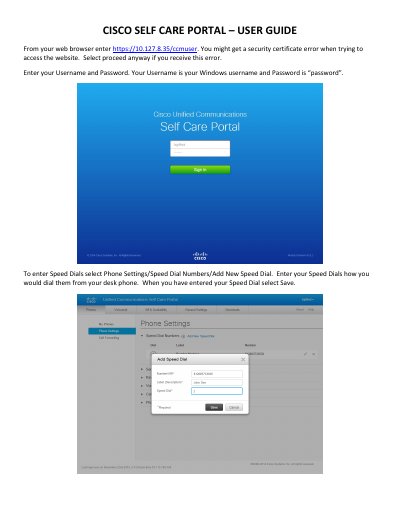
This user guide covers the Cisco Self Care Portal, accessed at https://10.127.8.35/ccmuser from a web browser. It explains how to log in with a Windows username and password and proceed past any security certificate error.
The guide describes managing speed dial numbers, voicemail notification settings, phone contacts, call forwarding, and changing the web password or phone PIN through the portal's Phone Settings and General Settings menus.
From your web browser enter https://10.127.8.35/ccmuser and proceed past any security certificate error.
The default password is “password”.
Select Phone Settings / Speed Dial Numbers / Add New Speed Dial, enter the number as you would dial it from your desk phone, and select Save.
Check the box next to Forward all calls and enter the phone number you want to forward to.