
This document details the VLAN configuration for the unsecured network at Pullman Miri, covering core and access switch port assignments.
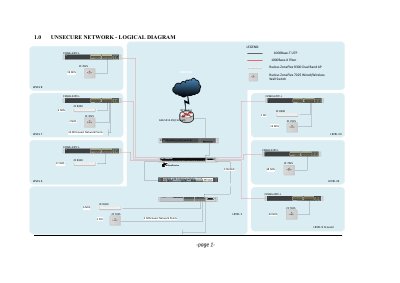
This document provides the network configuration details for the unsecured network at Pullman Miri. It outlines the logical diagram and the separation of services such as IPTV, WiFi AP Management, Switch Management, and WiFi Guest using IEEE 802.11q VLANs.
The guide lists specific port configurations for various Cisco Catalyst switches, including the Core Switches (Catalyst 3750X-24S-S and Catalyst 3750X-24P-S) and multiple Access Switches (Catalyst 2960X+24PC-L) located on different floors of the building. It specifies the VLAN IDs and port descriptions for each switch.
| Core Switch Model | Cisco Catalyst 3750X-24S-S |
|---|---|
| Core Switch Model | Cisco Catalyst 3750X-24P-S |
| Access Switch Model | Cisco Catalyst 2960X+24PC-L |
| VLAN Standard | IEEE 802.11q |
The IP address for Core Switch I (Cisco Catalyst 3750X-24S-S) is 10.18.1.2/24.
The IP address for the 6th Floor Access Switch (HP 1820-24-PoE+) is 10.18.1.5/24.