
This data sheet describes the Cisco UCS C220 M3 Rack Server, its applications, and listed features and benefits.
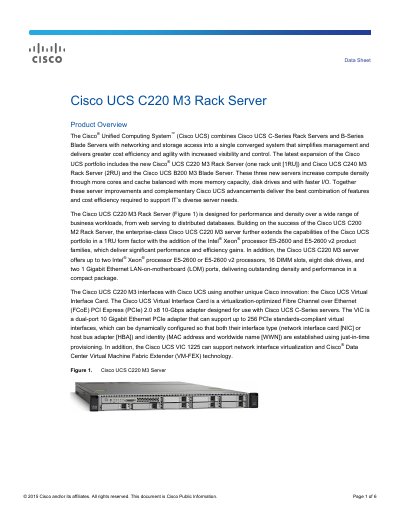
The document describes the Cisco UCS C220 M3 Rack Server as a 1RU server in the Cisco UCS portfolio and part of the Cisco C-Series Rack Servers family. It states that the server is designed for business workloads from web serving to distributed databases and lists support for Intel Xeon E5-2600 and E5-2600 v2 processors.
The Applications section lists distributed database clusters, middleware, high-performance virtual desktops, and IT and web infrastructure. The document also covers Cisco UCS Manager, service profiles, the Cisco UCS Virtual Interface Card, and a features and benefits table for unified network fabric and virtualization optimization.
| Form factor | 1RU |
|---|---|
| Processors | Up to two Intel Xeon E5-2600 or E5-2600 v2 processors |
| Memory slots | 16 DIMM slots |
| Disk drives | Eight disk drives |
| LAN ports | Two 1 Gigabit Ethernet LAN-on-motherboard (LOM) ports |
| Network fabric | 10-Gbps unified network fabric |
It is a 1RU rack server in the Cisco UCS portfolio.
It supports up to two Intel Xeon E5-2600 or E5-2600 v2 processors.
The listed applications are distributed database clusters, middleware, high-performance virtual desktops, and IT and web infrastructure.
It interfaces with Cisco UCS using the Cisco UCS Virtual Interface Card.