
User manual for Belkin Secure Desktop Controller Unit (DCU) models F1DN001R, F1DN002R, F1DN003R, covering installation, operation, configuration, and…
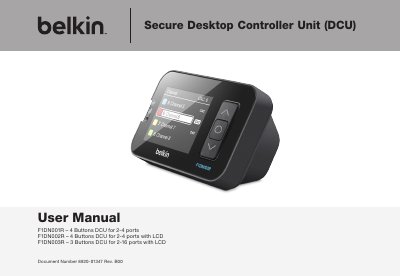
This user manual provides instructions for installing, operating, configuring, and troubleshooting the Belkin Secure Desktop Controller Unit (DCU) models F1DN001R, F1DN002R, and F1DN003R. It covers safety precautions, security features, operational features, equipment requirements, and unit display diagrams. The DCU enhances Belkin Secure KVM systems with a user-friendly interface, textual network/resource browsing, and tamper-evident security. Models F1DN002R and F1DN003R include LCD displays and SD card support for configuration management.
| Models | F1DN001R, F1DN002R, F1DN003R |
|---|---|
| Display | LCD on F1DN002R and F1DN003R |
| Channels | F1DN003R supports up to 16 channels |
| Security Certification | Common Criteria validated to EAL 4+ |
F1DN001R, F1DN002R, and F1DN003R.
Belkin warrants the product for three years.
F1DN002R and F1DN003R.