
Autodesk FBX Interoperability Chart 2014 compares FBX data exchange compatibility across Softimage, MotionBuilder, 3ds Max, Maya, and Mudbox.
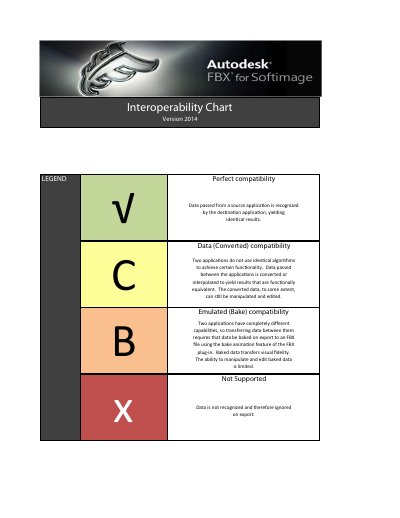
This chart documents compatibility levels for exporting and exchanging FBX data among Softimage, MotionBuilder, 3ds Max, Maya, and Mudbox. It uses symbols for not supported, perfect compatibility, converted compatibility, and emulated bake compatibility.
Sections cover general export options, objects, deformers, materials, textures, UVs, animation, constraints, and miscellaneous attributes.
Data is not recognized and therefore ignored on export.
Data passed from a source application is recognized by the destination application, yielding identical results.
Data passed between applications is converted or interpolated to yield results that are functionally equivalent.
It compares Softimage, MotionBuilder, 3ds Max, Maya, and Mudbox.