
The AT&T U-verse TV Point Anywhere RF Remote Control User Manual provides setup, programming, and troubleshooting instructions.
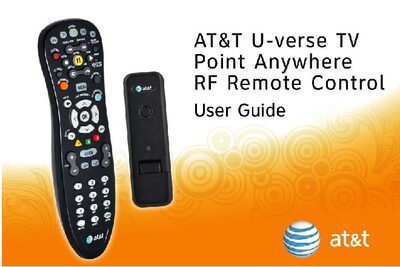
This manual explains how to use the AT&T U-verse TV Point Anywhere RF Remote Control, a universal remote that can control the AT&T U-verse Receiver via RF and other devices via IR. It describes the remote’s function keys, battery activation, USB converter installation, and methods for programming additional devices, either by searching device codes or learning from original remotes.
The guide also covers advanced features such as backlight cancellation, switching to IR‑only mode, restoring factory defaults, FCC compliance information, warranty details, and customer service contacts. Troubleshooting tips and care instructions are provided to help resolve common issues.
| Model | AT&T U-verse TV Point Anywhere RF Remote Control |
|---|---|
| IR Range | up to 30' |
| RF Range | up to 150' |
| Warranty | One year limited warranty |
| Battery type | Two AA Alkaline (pre‑installed) |
Pull the tab on the back of the remote and press the AT&T key; the AT&T key will light up.
Try reorienting or relocating the receiving antenna, increase the separation between the remote and the receiver, or connect the equipment to a different circuit; consult a technician if needed.