
Key facts
- Manuals
- 14
- Models
- 4
- Languages
- ZH · EN
- Last added
- 2026-09-30
AT&T models by category
Featured AT&T manuals
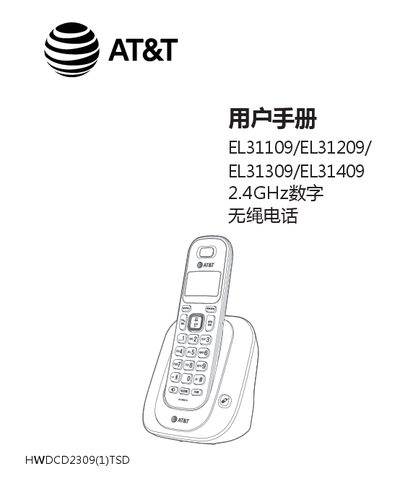
AT&T EL31109/EL31209/EL31309/EL31409 Digital Cordless Phone User Manual
This manual provides step‑by‑step instructions for installing the base unit and handset, connecting power and DSL filters, and positioning the phone for optimal signal coverage. It also explains how to charge the handset, replace the Ni‑MH battery, and use the provided accessories.
Detailed sections cover menu navigation, date‑time configuration, ringtone selection, phone book management, call handling (including internal, external, three‑way, and call transfer), and troubleshooting. Safety warnings, environmental information, and full technical specifications are included at the end of the document. This manual is written in Chinese.
Covers: Initial Installation · Phone Overview · Settings · Phone Operations · Phone Book · Call Handling
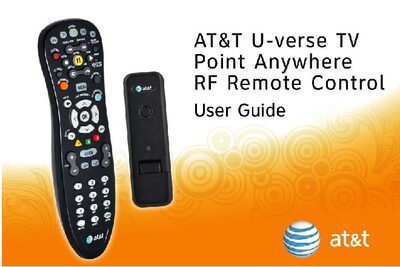
AT&T U-verse TV Point Anywhere RF Remote Control User Manual
This manual explains how to use the AT&T U-verse TV Point Anywhere RF Remote Control, a universal remote that can control the AT&T U-verse Receiver via RF and other devices via IR. It describes the remote’s function keys, battery activation, USB converter installation, and methods for programming additional devices, either by searching device codes or learning from original remotes.
The guide also covers advanced features such as backlight cancellation, switching to IR‑only mode, restoring factory defaults, FCC compliance information, warranty details, and customer service contacts. Troubleshooting tips and care instructions are provided to help resolve common issues.
Covers: Function Keys of Your RF Remote Control · Quick Setup Guide · How to Activate the Batteries · How to Install the USB Converter · Setting Up Your Remote to Control Other Devices · Search for Device Codes
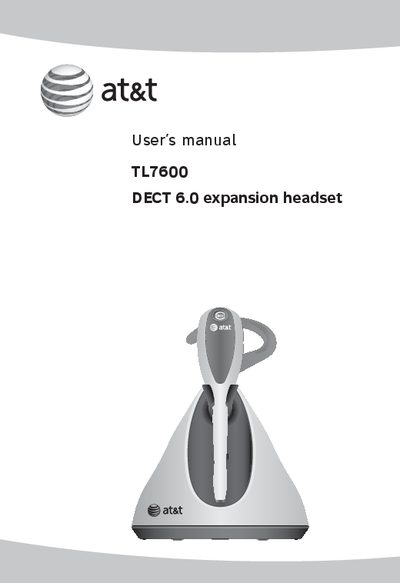
AT&T TL7600 DECT 6.0 Expansion Headset User Manual
The TL7600 is a DECT 6.0 expansion headset designed for use with AT&T cordless telephone bases. It includes a headset, charger, battery, and optional accessories such as over‑the‑ear hooks.
This manual covers charger and battery installation, registration of the headset to a base, basic operation (answering, ending, and transferring calls), volume and alert tone controls, de‑registration, and troubleshooting. Safety information and warranty details are also included.
Covers: Getting Started · Charger Installation · Battery Installation · Registering the Headset · Operation · Troubleshooting
Latest AT&T manuals
AT&T EL31109/EL31209/EL31309/EL31409 Digital Cordless Phone User Manual
User Manual 46 pages · 2.6 MB · ZHUser manual for AT&T EL31109/EL31209/EL31309/EL31409 2.4 GHz digital cordless phone, covering installation, settings, operation and safety.
AT&T U-verse TV Point Anywhere RF Remote Control User Manual
User Manual 26 pages · 1.7 MB · ENThe AT&T U-verse TV Point Anywhere RF Remote Control User Manual provides setup, programming, and troubleshooting instructions.
AT T 3G MicroCell user manual
AT&T 3G MicroCell™ is a device that provides high-speed internet service and enhances cellphone signals. This user guide contains information about the device's requirements, operation steps, and troubleshooting.
at t Tilt Getting Started Guide
This is a user manual for AT&T Tilt phone
AT T Tilt AT T 8900 Handheld with Windows Mobile User Manual
This document is the user manual for AT&T Tilt / AT&T 8900 Handheld with Windows Mobile ® 2. The manual mentions some usage precautions such as not removing the battery pack while the device is charging and not tampering with the device's outer casing. It also provides information on privacy restrictions and intellectual property rights.
AT T Tilt AT T 8900 Handheld with Windows Mobile User Guide
This is the user manual of AT&T Tilt / AT&T 8900 Handheld with Windows Mobile ® 2
at t User manual 1080 4-Line small business system with digital answering system caller ID/call waiting
This document introduces the AT&T 1080 4-Line small business system with digital answering system and caller ID/call waiting. It provides important product information, feature operation, and troubleshooting information.
at t TL71108/TL71208/TL71308/ TL72108/TL72208/TL72308/ TL72408/TL78108/TL78208/ TL78308/TL78408 user manual
This is the user's manual for the AT&T TL70008 5.8 GHz expansion handset, which is compatible with the AT&T TL71108/TL71208/TL71308/ TL72108/TL72208/TL72308/ TL72408/TL78108/TL78208/ TL78308/TL78408 models.
at t TL72108/TL72208/ TL72308/TL72408 5.8 GHz cordless telephone/answering system with caller ID/call waiting User manual
This is a user manual for AT&T 5.8 GHz cordless telephone/answering system. The manual introduces the features and usage of the product.
AT T F160 User Manual
AT&T F160 User Manual. The contents may differ from the phone depending on the software or service provider. AT&T marks contained herein are trademarks of AT&T Intellectual Property and/or AT&T affiliated companies.
at t CU920 Vu by LG User Guide
User Guide for LG CU920 phone provided by AT&T
AT T Smart Device Pantech Matrix Pro
Pantech Matrix Pro user guide, introduces the main features of this product, including Microsoft Windows Mobile™ 6.1 operating system, 262K color TFT display, full keyboard, 2.0 megapixel CMOS camera, Bluetooth technology, voice command technology, two-way text messaging, multimedia messaging service, email messaging service, external storage card (SDIO support), voice memo, XT9 text input mode, internet access and video share calling
AT&T TL7600 DECT 6.0 Expansion Headset User Manual
User Manual 61 pages · 5.9 MB · ENThe AT&T TL7600 DECT 6.0 expansion headset user manual provides setup, operation, and troubleshooting instructions.
AT T Connect myAT T user manual user manual
Which document do I need?
User Manual
Day-to-day operation, settings and troubleshooting. Start here if the product is already set up.
Questions answered in AT&T manuals
What type of battery does the handset use?
The handset uses a proprietary 2‑cell 500 mAh rechargeable nickel‑metal‑hydride (Ni‑MH) battery.
From: AT&T EL31109/EL31209/EL31309/EL31409 Digital Cordless Phone User Manual
What is the maximum indoor range of the phone?
The indoor effective range is up to 50 meters.
From: AT&T EL31109/EL31209/EL31309/EL31409 Digital Cordless Phone User Manual
How do I activate the batteries in the remote?
Pull the tab on the back of the remote and press the AT&T key; the AT&T key will light up.
From: AT&T U-verse TV Point Anywhere RF Remote Control User Manual
What should I do if the remote causes interference with my TV or radio reception?
Try reorienting or relocating the receiving antenna, increase the separation between the remote and the receiver, or connect the equipment to a different circuit; consult a technician if needed.
From: AT&T U-verse TV Point Anywhere RF Remote Control User Manual
How long should I charge the battery before first use?
Charge the headset battery for at least six hours before use.
From: AT&T TL7600 DECT 6.0 Expansion Headset User Manual
What should I do if I use DSL service with my telephone line?
Install a DSL filter between the telephone line cord and the telephone wall jack to prevent noise and caller ID problems.
From: AT&T TL7600 DECT 6.0 Expansion Headset User Manual