
Installation guide for the Aruba 13/64 Wi‑Fi Access Point, covering mounting, power options, and sensor setup.
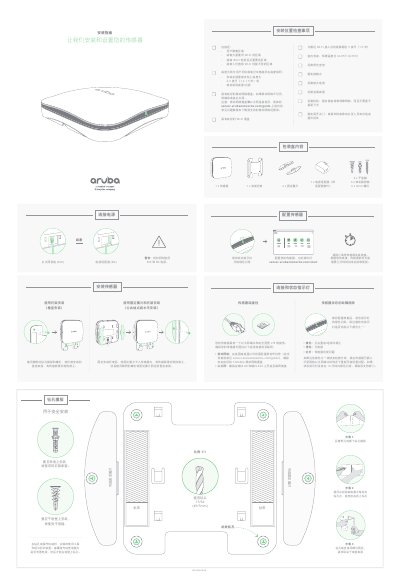
This guide explains how to mount the Aruba 13/64 Wi‑Fi Access Point on various surfaces, including brick, drywall, and vertical installations. It provides step‑by‑step instructions for using the supplied brackets, anchors, and drilling templates, and lists the required tools and safety precautions.
The document also details power options (PoE or DC adapter), sensor configuration, and troubleshooting LED indicators. It includes a checklist of packaging contents and tips for ensuring reliable network connectivity via Ethernet or LTE. This manual is written in Chinese.
| Operating temperature | 32‑95 °F (0‑35 °C) |
|---|---|
| Recommended mounting height | up to 45 in (1.2‑1.5 m) |
A green flashing LED shows successful connection, yellow means the device is rebooting or power is not connected, orange indicates no network connection, and red signals a sensor problem.
The box contains 6 drywall anchors, 1 power adapter with 6 brick expansion sleeves, 1 sensor, 1 mounting bracket, 2 fixed wing pieces, and assorted screws.