
Quick installation guide for the AOpen AX59PRO motherboard covering system setup, jumper configuration, CPU voltage/frequency settings, and BIOS flashing…
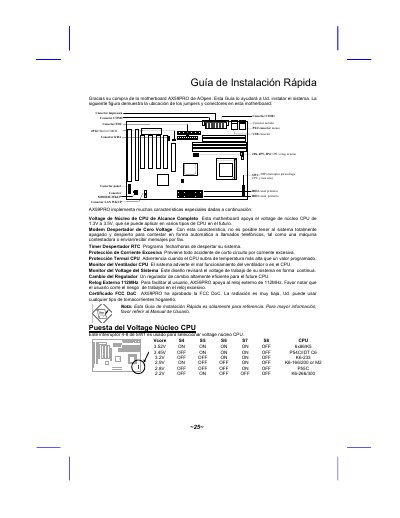
This document serves as a quick installation guide for the AOpen AX59PRO motherboard. It provides instructions on installing the system, configuring jumpers and connectors, and setting up the CPU voltage and frequency. Key features highlighted include full-range CPU core voltage support (1.3V to 3.5V), zero-voltage modem wake-up, RTC timer wake-up, and thermal protection for the CPU. This manual is written in Spanish.
| CPU Core Voltage Range | 1.3V to 3.5V |
|---|---|
| Maximum Memory Capacity | 1GB |
| External Clock Support | 112MHz |
| FCC Certification | FCC DoC Approved |
Press the appropriate key during POST (Power-On Self-Test).
Select 'Load Setup Defaults' for recommended performance.
Use the AOFLASH utility with the new BIOS binary file.
The CPU speed slows down and the PC speaker sounds an alarm.