
Key facts
- Manuals
- 8
- Categories
- 1
- Languages
- ZH · EN
- Last added
- 2026-10-03
Featured AOpen manuals
AOpen AK77 Plus / AK77 Pro Motherboard User Manual
This manual explains how to install the AK77 Plus / AK77 Pro motherboard, set up drivers and utility programs, and configure the Award BIOS. It includes detailed diagrams of the board, front‑panel connectors, and system block layout.
Additional sections cover terminology, troubleshooting steps, technical support contacts, and product registration information to help users maintain and upgrade their system. This manual is written in Chinese.
Covers: 概說 · 硬體安裝 · 驅動程式與公用程式安裝 · BIOS設定 · 專有名詞解釋 · 故障排除與技術支援

AOpen AK75 Pro Motherboard User Manual
This manual explains how to install and configure the AK75 Pro motherboard. It covers hardware installation, BIOS configuration, driver and utility installation, and provides detailed diagrams of the board and system block.
Additional sections describe optional and upgrade options, CMOS clearing, CPU and memory installation, USB and AGP interfaces, and a troubleshooting guide with technical support contacts. This manual is written in Chinese.
Covers: Preface · Feature Description · Quick Installation Steps · Motherboard Diagram · System Block Diagram · Hardware Installation
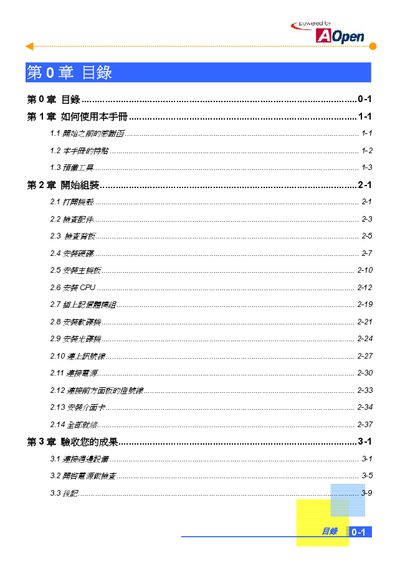
AOpen BareSystem Assembly Manual
This manual explains how to build an AOpen BareSystem computer from start to finish. It is written for beginners and provides clear instructions, safety warnings, and illustrated diagrams for each assembly step.
The guide covers required tools, opening the case, checking parts, installing the hard drive, motherboard, CPU, memory, floppy and optical drives, connecting cables and power, attaching the front‑panel LEDs, installing expansion cards, and performing the final acceptance test. This manual is written in Chinese.
Covers: How to Use This Manual · Required Tools · Opening the Case · Installing Hard Drive · Installing Motherboard · Installing CPU

AOpen S100E Mini ITX Case Review
The article evaluates the AOpen S100E mini‑ITX case, highlighting its pure‑aluminum construction, compact dimensions (83.8 mm × 193.8 mm × 197 mm) and 135 W power supply that works with all mainstream platforms. It notes the case’s ability to support only Mini‑ITX motherboards and its simple front panel with a single power button.
The review also discusses the case’s flexibility for different environments – it can be placed standing, lying flat or mounted behind a VESA‑compatible monitor to create an all‑in‑one PC. Additional sections compare the S100E with other AOpen mini‑cases such as the S100, S180 and HT80 series. This manual is written in Chinese.
Covers: Versatile Placement Options · Design and Material · Power Supply Compatibility · All‑in‑One PC Conversion · Installation Overview
Latest AOpen manuals
AOpen AK77 Plus / AK77 Pro Motherboard User Manual
User Manual 110 pages · 3.9 MB · ZHThe AOpen AK77 Plus / AK77 Pro motherboard user manual provides hardware installation, driver setup, BIOS configuration, and troubleshooting guidance.
AOpen AK75 Pro Motherboard User Manual
User Manual 104 pages · 3.4 MB · ZHThe AOpen AK75 Pro motherboard user manual provides hardware installation, BIOS setup, driver installation, troubleshooting and support information.
AOpen BareSystem Assembly Manual
Installation Guide 54 pages · 3.2 MB · ZHStep‑by‑step guide for assembling the AOpen BareSystem, covering tools, component installation, and final verification.
AOpen S100E Mini ITX Case Review
Other 44 pages · 4.1 MB · ZHA review of the AOpen S100E mini‑ITX aluminum case, covering its compact size, material, power options and versatile placement.
AOpen DE45-Pro Product Specification
Product Leaflet 24 pages · 1.6 MB · ENThe AOpen DE45-Pro is a compact PC with dual‑display support, Intel Core2 Duo CPU and extensive I/O options.
AOpen AAXX44LLRR Motherboard User Manual
User Manual 112 pages · 3.3 MB · ZHThe AOpen AAXX44LLRR motherboard user manual provides installation steps, BIOS settings, hardware diagrams and troubleshooting guidance.
AOPEN DE5100i High-end Computing System Product Data Sheet
Product Leaflet 2 pages · 619 KB · ENThe AOPEN DE5100i is a compact, energy‑efficient mini‑ATX system offering dual‑display Full HD playback and robust connectivity for demanding AV applications.
AOpen AX4C-G / AX4C Pro / AX4C Max Motherboard User Manual
User Manual 186 pages · 6.3 MB · ENThe AOpen AX4C series motherboard user manual provides installation steps, hardware specs, BIOS setup, and troubleshooting guidance.
Which document do I need?
User Manual
Day-to-day operation, settings and troubleshooting. Start here if the product is already set up.
Installation Guide
Mounting, wiring and first power-up. Read it before the hardware goes in.
Questions answered in AOpen manuals
How do you load the BIOS default settings during assembly?
When prompted, press "Y" and then Enter, then move the cursor to "Save & Exit Setup" and press Enter again.
Which case series is compatible with the BareSystem?
The BareSystem uses a Micro ATX case and is compatible with the MT85 / HQ85 series cases.
What power supply does the S100E use?
It uses a 135 W power supply that is compatible with all mainstream platforms.
What operating temperature range does the DE45-Pro support?
It operates from –10 °C to 55 °C.
Does the DE45-Pro support dual displays?
Yes, it supports dual displays.
How do I clear the CMOS data?
Use the JP14 jumper to clear the CMOS data.