
Analog Devices UG-1155 user guide for the EVAL-ADV7182AEBZ evaluation board for the ADV7182A 10-bit SDTV video decoder, covering hardware setup and software.
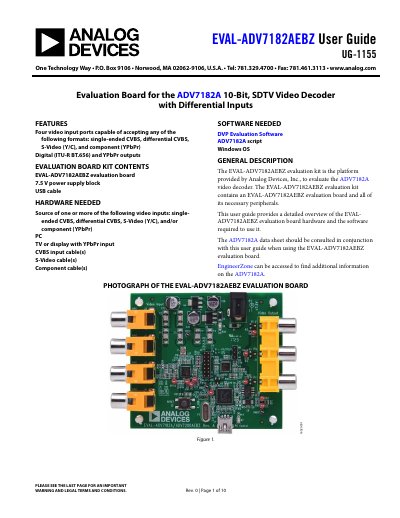
This user guide (UG-1155, Rev. 0) describes the EVAL-ADV7182AEBZ evaluation kit from Analog Devices, a platform for evaluating the ADV7182A 10-bit SDTV video decoder with differential inputs. The board carries an ADV7182A video decoder and an ADV7391 video encoder, with four analog video inputs (AIN1 to AIN4) and three analog video outputs. The guide lists the kit contents, the hardware and software needed, and explains how to power the board from the included 7.5 V supply block, communicate with it over USB, and connect input and output video.
The hardware section explains the resistor changes needed to configure the inputs for single-ended CVBS, differential CVBS, S-Video (Y/C) and component (YPbPr) formats, and describes the headers and test points for probing the digital video stream. The software section covers the DVP Evaluation Software, the ADV7182A script files and configuring the evaluation board.
| Video Decoder | ADV7182A, 10-bit SDTV video decoder |
|---|---|
| Video Encoder | ADV7391 |
| Analog Video Inputs | Four (AIN1 to AIN4) |
| Analog Video Outputs | Three |
| Power Supply | 7.5 V power supply block |
| Crystal | 28.63636 MHz (Y1) |
| Digital Output | ITU-R BT.656 compatible stream |
| Output Format | 480i/576i |
The kit contains the EVAL-ADV7182AEBZ evaluation board, a 7.5 V power supply block and a USB cable.
Connect the 7.5 V power supply block from the kit to the input power connector (J8); LED D6 illuminates when the supply is enabled and connected.
The DVP Evaluation Software, an ADV7182A script and a Windows OS are required.
Press and release the push button S2, or momentarily connect the Reset test point to 0 V.