
This guide covers the setup, installation, and operation of the Analog Devices AD9959 evaluation board for a multi-channel frequency synthesizer.
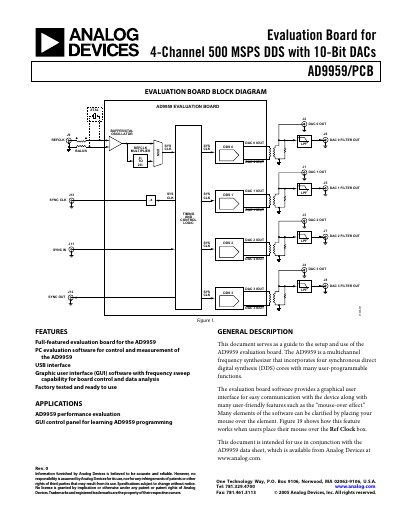
The document serves as a user guide for the AD9959/PCB Rev. 0 evaluation board, which features four synchronous direct digital synthesis (DDS) cores with 10-bit DACs. It details hardware setup requirements, including power connections and clocking options, alongside software installation instructions for Windows operating systems.
| Number of DDS Cores | Four synchronous direct digital synthesis (DDS) cores |
|---|---|
| DAC Resolution | 10-bit DACs |
| Operating System Support | Windows 98/Me/2000/XP |
| Minimum Memory | 128 MB or better |
| Interface Type | USB 1.1/2.0 |
The board requires independent DC voltages of 1.8 V and 3.3 V, with specific connections detailed in Table 2.
Set jumper W7 to PC and place jumpers on W1, W2, W3, W9, and W10.
Yes, via a header row (U2, U13) for control by an external controller such as a µP, FPGA, or DSP.