
AMX DUX-MTX user manual covering safety, specifications, panel, EDID, installation, infrared and RS232 control, and troubleshooting.
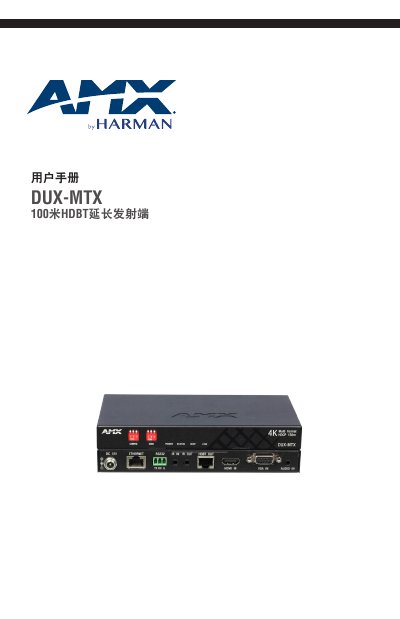
The AMX DUX-MTX is an HDBT extender transmitter with VGA and HDMI inputs. It supports transmission of up to 1080P@60Hz 48-bit high-definition audio and video signals to 100m/328ft, or 4K signals to 70m/230ft, with automatic switching between VGA and HDMI inputs, with HDMI taking priority over VGA. Connection via Cat6a/7 cable transmits audio and video, network, bidirectional infrared, and RS232 signals.
The manual includes safety precautions, a package list, technical parameters, cable specifications, front and rear panel descriptions, CONFIG DIP switch settings, EDID management, installation hardware, infrared control, RS232 control, and troubleshooting. The package listed includes the DUX-MTX, a 12 VDC 1.5A power adapter, a 3.5mm 3-pin Phoenix terminal (male), an infrared transmitter cable, a wideband infrared receiver cable (30 kHz - 50 kHz), two mounting ears, and this user manual. This manual is written in Chinese.
| Input Interfaces | 1 x HDMI IN, 1 x VGA IN, 1 x AUDIO IN |
|---|---|
| Highest HDMI Input Resolution | 4K@60Hz YUV 4:2:0 |
| Output Interface | 1 x HDBT OUT |
| Video Impedance | 100 Ω |
| Maximum Pixel Clock | 297 MHz |
| Power Consumption | ≤19.2 W |
| Dimensions (W × H × D) | 173 mm × 21 mm × 94.8 mm |
| Net Weight | 0.46 kg |
Check that all devices are turned on and that all cables are intact and effectively connected.
Check that all devices are turned on and that all cables are intact and effectively connected, and ensure the CatX cable meets the recommended specifications.
Ensure the display device works normally, the signal source output is normal, and the display device supports HDCP.