
This manual provides operating instructions for the Alpine PXE-R600 Tuning APP, covering mobile phone and computer software usage, device connections…
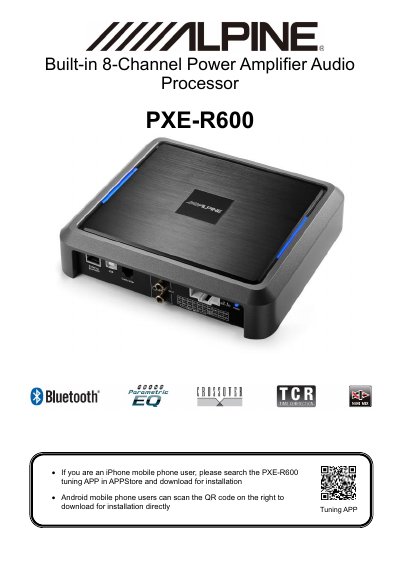
The Alpine PXE-R600 is an 8-channel power amplifier audio processor designed for vehicle audio systems. This user manual details how to install and operate the accompanying mobile application (for iPhone and Android) and the dedicated PC tuning software.
The document covers essential setup procedures, including connecting the device via Bluetooth or USB2.0 cable, configuring sound sources, adjusting master volume, setting delays, managing output channels, and utilizing equalizer (EQ) functions. It also includes safety warnings regarding installation, usage while driving, and repair.
| Product Type | 8-Channel Power Amplifier Audio Processor |
|---|---|
| Bluetooth Input | HD Bluetooth |
| USB Interface | USB2.0 |
| Voltage Requirement | 12V type car |
| Operating Temperature Range | +60°C and -20°C |
| Delay Adjustment Range (ms) | 0.000~8.000 ms |
| Frequency Divider Range | 20Hz~20000Hz |
Go to Settings, enable Bluetooth, search for 'DSP-HD-...', and click to connect. Alternatively, open the app to search automatically.
The product must be applied to a 12V type car.
No, you should not repair it yourself. Please return it to an authorized Alpine dealer or service center.