
This guide provides instructions for updating the firmware on various Alpine CD/USB receivers, including model compatibility, preparation steps, and…
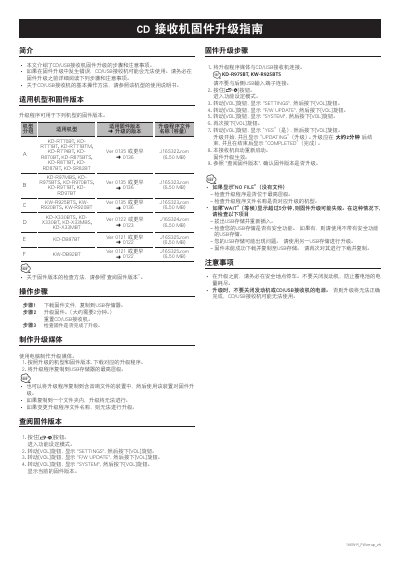
This document serves as a guide for updating the firmware on specific models of Alpine CD/USB receivers. It details the applicable models and their corresponding firmware versions, explaining how to check the current version before proceeding. The guide emphasizes the importance of reading the instructions carefully to prevent the device from becoming unusable if an error occurs during the update process.
The procedure involves downloading the correct firmware file to a USB storage device and connecting it to the receiver. The user must navigate the receiver's menu system to initiate the update, a process that takes approximately two minutes. The document also covers troubleshooting steps for common issues such as 'NO FILE' or 'WAIT' messages and provides critical safety warnings, such as ensuring the vehicle engine remains running during the update to prevent battery drain. This manual is written in Chinese.
| Upgrade Time | Approximately 2 minutes |
|---|---|
| USB Storage Requirement | Copy to highest level |
| Engine Requirement | Do not turn off |
Check if the upgrade program is located in the highest level of the USB storage and verify that the file name matches the model.
No, you must not turn off the engine or the receiver power, or the upgrade will fail and the device may become unusable.