
AKG Y500WIRELESS wireless headphones quick start guide covering box contents, product overview, buttons and LEDs, pairing, and Bluetooth connection.
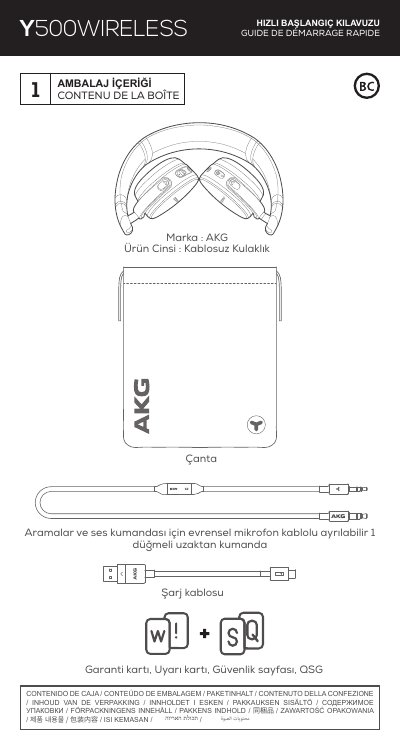
The AKG Y500WIRELESS is a wireless headphone with a universal microphone cable for calls and music control and a detachable one-button remote control. The package includes the headphones, a charging cable, warranty card, warning card, safety page, quick start guide, and pouch.
The guide covers the product overview, buttons and LED indicators, and connections such as the 2.5 mm audio jack and micro USB charging port. It also explains turning the headphones on, automatic Bluetooth pairing on first use, connecting to a Bluetooth device, music control, and automatic power off after 30 minutes of inactivity. This manual is written in Turkish.
| Product type | Wireless headphones |
|---|---|
| Audio connector | 2.5 mm audio jack |
| Charging port | Micro USB |
| Remote control | 1-button detachable remote |
| Auto power off | 30 minutes of inactivity |
The box contains the Y500WIRELESS headphones, charging cable, warranty card, warning card, safety page, quick start guide, and pouch.
Yes, when turned on for the first time, the headphones automatically enter pairing mode.
The headphones automatically turn off after 30 minutes of inactivity or no music playback.
Select “AKG Y500 WIRELESS” from the Bluetooth device list to establish the connection.