
The Aeroel XLS40 and XLS80 laser gauge manual provides setup, operation, and measurement instructions for bench‑top micrometer use.
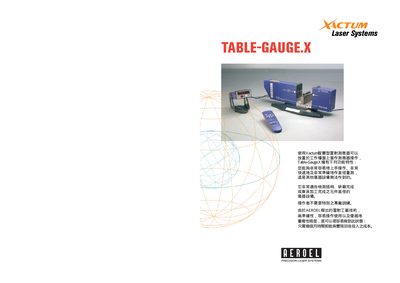
This manual describes the Table‑Gauge.X system that includes a single‑axis Xactum laser gauge (XLS40 or XLS80), the DM‑100 multi‑color LED display, an IR remote control, and optional accessories such as V‑blocks, a linear slide and foot switch. It explains how to configure the system, program measurements, and use the display and remote control.
The document also covers measurement principles (diameter, roundness, concentricity), measurement modes (free‑running, auto‑sync, on‑command), PC communication via Ethernet or RS232, and provides technical specifications for the two gauge models. This manual is written in Italian.
| Beam height (mm) | 40 (XLS40) / 80 (XLS80) |
|---|---|
| Measurement range (mm) | 0.06 – 38 (XLS40) / 0.75 – 78 (XLS80) |
| Scanning rate (Hz) | 200 / 1200 |
| Resolution (µm) | 0.01 (XLS40) / 0.1 (XLS80) |
| Repeatability (µm) | ±0.1 (XLS40) / ±0.3 (XLS80) |
| Linearity (µm) | ±0.5 (XLS40) / ±1 (XLS80) |
| Display alarm outputs | 4 alarm output lines |
| Remote control power supply | 4 × AAA 1.5 V batteries |
The XLS40 measures from 0.06 mm up to 38 mm.
The DM‑100 display provides four alarm output lines.
The IR remote control is powered by four AAA 1.5 V batteries.