
This is a document describing the user guide of Konica Minolta EP1031 in Chinese.
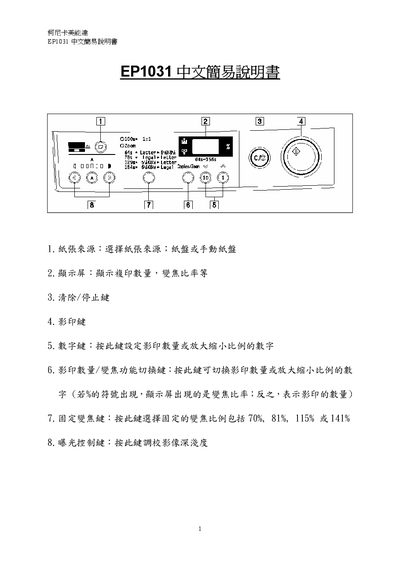
The EP1031 Simple Manual provides step‑by‑step instructions for everyday use of the Konica Minolta EP1031 copier. It describes how to select the paper source, interpret the display, and operate the main keys such as Clear/Stop, Copy, Numeric, and Zoom Switch.
Additional sections cover error messages, image density adjustment, copy quantity setting, zoom ratio adjustment, and checking the total number of copies made. The guide is intended for users who need quick reference to perform common copying tasks. This manual is written in Chinese.
| Maximum Zoom Ratio | 156% |
|---|
Choose the paper source; either the paper tray or the manual feed tray.
It means toner is low and you should call 2565‑2139 to order more.
Press the Exposure Control key to manually adjust image depth, or press it to enter auto‑exposure mode.