
LU37K3/LU37K3 is the Haier Blue flat-panel TV. The product has the characteristics of wide color gamut optimization, MAXX Bass digital bass, SRS surround sound system, stylish appearance, left and right 15° rotatable tempered glass base
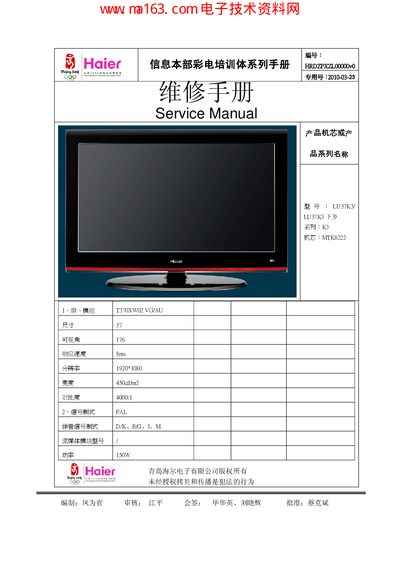
This service manual provides detailed information for the Haier LU37K3 (also listed as LU37K3下乡) 37‑inch LCD television. It includes product specifications, safety warnings, installation procedures, operation guidance, and troubleshooting steps for technicians.
The document also describes the hardware configuration, wiring diagrams, and software upgrade process, along with recommended tools and measurement equipment needed for proper servicing of the unit. This manual is written in Chinese.
| Screen size | 37 inches |
|---|---|
| Resolution | 1920×1080 |
| Brightness | 450 cd/m² |
| Contrast ratio | 4000:1 |
| Response time | 8 ms |
| Aspect ratio | 16:9 |
| Viewing angle | 176° |
| Power consumption | 150 W |
| Voltage range | 220 V |
| Power frequency | 50/60 Hz |
| Net weight | 14.61 kg |
| Gross weight (incl. base) | 21.2 kg |
| Dimensions (incl. base) | 916 mm × 44 mm × 265 mm |
Copy the upgrade file renamed to MTK22CPTBIN onto a USB flash drive, insert it, switch the TV source to USB, select the file and press Play to start the upgrade; the process takes about two minutes and the TV restarts automatically after a successful upgrade.
Only qualified technicians should service the TV; disconnect the power cord before any work, avoid exposure to rain or moisture, keep the unit away from strong light, vibration, and dust, and never modify the product without authorization.
Connect the TV to a 220 V AC outlet, power on the unit, and verify that it enters standby mode; then use the remote to check that the power indicator lights up and the TV responds to the power‑on key.
The TV can switch among TV, AV1, AV2, S‑VIDEO, Component1, Component2, USB, PC, HDMI1, HDMI2, and HDMI3, with corresponding audio and video signals displayed on the screen.