
This document provides a quick setup and connection guide for LCD TVs. It includes instructions on how to mount the TV, set up TV channels, and perform an automatic search for available channels.
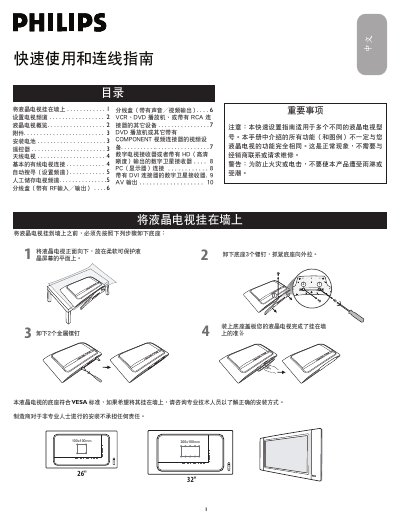
The guide provides step‑by‑step instructions for installing a Philips 26"/32" LCD TV. It covers safety warnings, wall‑mount preparation, battery installation for the remote, and basic operation of the remote control.
It also explains how to connect antennas, cable, VCR/DVD players, component devices, and PCs, and how to perform automatic or manual channel searches. Detailed wiring diagrams for RF splitters, audio/video cables, and DVI/HDMI connections are included. This manual is written in Chinese.
| Screen size | 26" or 32" |
|---|---|
| Mounting pattern | VESA standard |
Press the AV button to select TV mode, open the MENU, go to Settings → Automatic Search, and press the right‑arrow key to start scanning for available channels.
Use RCA video (yellow) and audio (red/white) cables: connect the VCR’s VIDEO OUT to the TV’s VIDEO IN and AUDIO OUT to the TV’s AUDIO IN, then select the appropriate AV input on the TV.