
EL-1607P is the user manual of Sharp electronic calculator, which introduces the functions and operation methods of the calculator, including power on, power off, addition, subtraction, multiplication, division, memory function, etc.
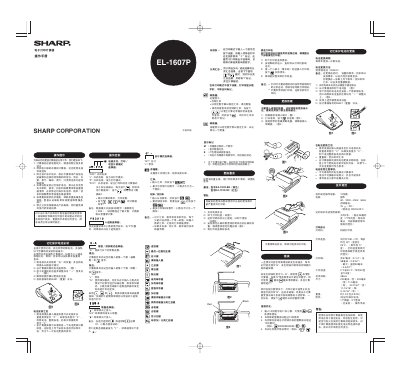
This Sharp EL-1607P electronic printing calculator user manual provides operating tips, control descriptions, and setup instructions for the 12-digit printing calculator. It explains the power switch and print/project modes, decimal and rounding selectors, and item counter operation.
The manual also describes memory protection battery installation and replacement, ink roller and paper roll replacement, printer cleaning, error conditions, and lists technical specifications such as AC power, dimensions, weight, and operating temperature. This manual is written in Chinese.
| Operating capacity | 12 digits |
|---|---|
| AC power | 220V-230V, 50Hz |
| Memory backup battery | 3V DC lithium battery CR2032 x1 |
| Memory protection battery life | About 2 years |
| Printer type | Mechanical printer |
| Print speed | About 3 lines per second |
| Print paper width | 57 mm to 58 mm |
| Paper roll diameter | 80 mm |
| Operating temperature | 0°C to 40°C |
| Power consumption | 48 mA |
| Dimensions | 220 mm x 303 mm x 71.5 mm |
| Weight | About 1.3 kg |
Turn the power switch off, unplug the calculator, remove the battery cover, wipe the battery box, install the lithium battery with the + side up, replace the cover, and press the RESET switch.
Use EA-781R-BK (black) or EA-781R-RD (red) ink rollers.
Use the appropriate clear key to clear the calculator; if E appears with a number other than division by zero, press a clear key to continue the calculation.
Print paper from 57 mm to 58 mm wide can be used.