
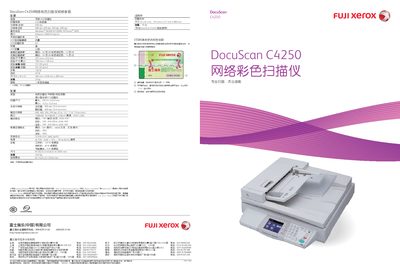
This user manual details the technical specifications of the Fuji Xerox DocuScan C4250, including scan resolution, speed, supported paper sizes, and power consumption. It also describes the hardware configuration, such as the built‑in ADF with 50‑sheet capacity and available interfaces (Ethernet and USB 2.0).
The guide explains how to operate the scanner, configure network settings, and use advanced features like scanning to email, FTP, or USB storage. Safety warnings, warranty information, and contact details for Fuji Xerox service centers in China are also included. This manual is written in Chinese.
| Optical resolution | 600 dpi |
|---|---|
| Maximum scan speed (black‑white) | 40 pages/min |
| ADF capacity | 50 sheets |
| Maximum scan area | A3 (297 mm × 432 mm) |
| Power consumption (working) | 120 W |
| Power consumption (standby) | 40 W |
| Dimensions (W × D × H) | 582 mm × 658 mm × 209 mm |
| Weight | ≈24 kg |
The scanner provides a maximum optical resolution of 600 dpi.
The ADF can hold up to 50 sheets.
The device includes Ethernet (100BASE‑TX/10BASE‑T) and USB 2.0 ports.
During operation the scanner consumes about 120 W.