
This is the product introduction manual for the DoucScan C4250 network color scanner
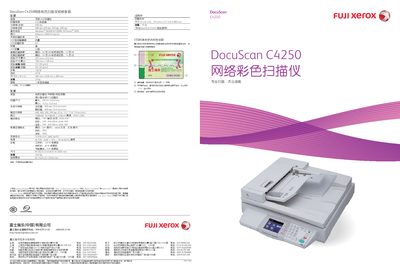
The DocuScan C4250 is a high‑speed color network scanner designed for office environments, offering both flatbed and ADF scanning with a large touch‑screen interface. It supports Ethernet and USB connections and can scan directly to email, FTP, or USB storage.
This manual covers the scanner’s physical dimensions, weight, power consumption, supported paper sizes, optical resolution, scanning speeds, operating system compatibility, output formats, and warranty information, as well as step‑by‑step instructions for installation, configuration, and daily operation. This manual is written in Chinese.
| Dimensions (D x W x H) | 735 mm x 577 mm x 980 mm |
|---|---|
| Weight | 19 kg |
| Scanning Speed (Color) | 23 pages per minute |
| Scanning Speed (Black‑White) | 40 pages per minute |
| Interface | Ethernet, USB 2.0 (Type‑A) |
| Operating System Support | Windows 98/ME/NT/2000/XP/Server 2003 |
| Power Consumption (Operating) | 120 W or less |
| Power Consumption (Standby) | 40 W or less |
It includes an Ethernet port and a USB 2.0 (Type‑A) connection.