
TCL-USB(9) is an excellent performance new type of personal office USB network phone, which can be used with instant messaging software. It has a built-in high-performance voice processor, supports hot plug and has a PSTN telephone interface function.
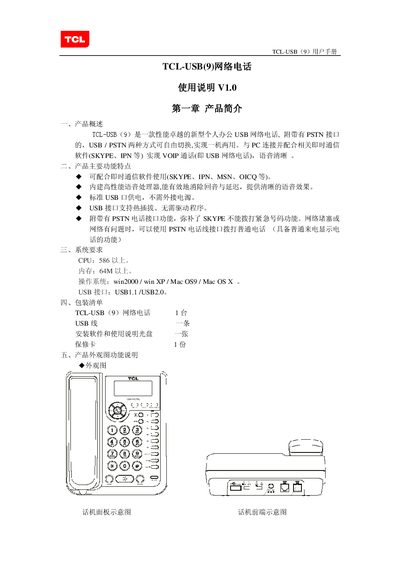
The TCL USB(9) is a personal office USB network telephone that can switch between USB (VoIP) and PSTN modes, allowing calls via Skype, IPN, MSN, OICQ and ordinary telephone lines. It features a high‑performance voice processor, hot‑plug USB, and requires no external power.
The manual provides step‑by‑step instructions for installing the SkypePhone software, connecting the handset, using keypad functions, making and receiving PSTN and Skype calls, handling multi‑party calls, and performing basic maintenance and fault troubleshooting. This manual is written in Chinese.
| CPU requirement | 586 or higher |
|---|---|
| Memory requirement | 64 M or higher |
| Supported operating systems | Windows 2000, Windows XP, Mac OS 9, Mac OS X |
| USB interface | USB 1.1 / USB 2.0 |
| Power source | Standard USB port power, no external supply needed |
Press the MUTE key during a Skype call; the LCD displays a mute icon and the remote party cannot hear you.
A CPU of 586 or higher, at least 64 M of memory, Windows 2000/XP or Mac OS 9/OS X, and a USB 1.1 or USB 2.0 port.
Press the REDIAL key; the handset will automatically dial the most recent PSTN number.