
TCL-USB(6C) is a VoIP phone certified by CE and Skype. It runs on Internet and uses dedicated DSP voice processor and USB auto-run technology to install IM software or softphone on the PC automatically. The sound quality of this phone is comparable to that of a fixed phone. It is suitable for dial-up, broadband and LAN environments, and is particularly suitable for those who travel frequently and use IM software in public places.
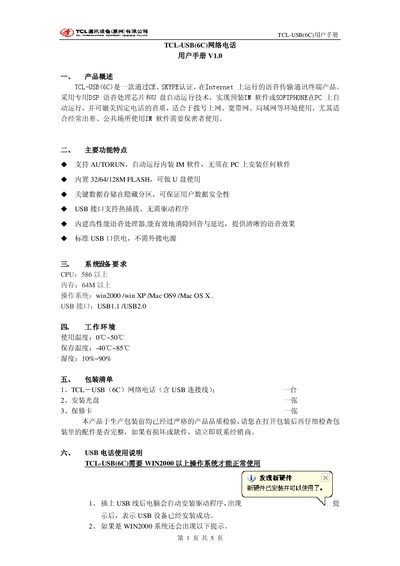
The TCL‑USB(6C) is a USB‑based network telephone that runs on Windows, Mac OS and supports popular IM software such as Skype. It includes a DSP voice‑processing chip, flash storage (3/64/128 MB) and a built‑in USB audio device, offering telephone‑quality sound without the need for external power.
This manual covers product overview, key features, operating environment, packaging contents, installation steps, safe removal, additional USB audio usage, and a simple troubleshooting guide. Follow the instructions to install the device, configure the software, and resolve common issues such as missing sound or driver problems. This manual is written in Chinese.
| CPU requirement | 586 or higher |
|---|---|
| Supported operating systems | Windows 2000, Windows XP, Mac OS 9, Mac OS X |
| USB interface | USB 1.1 / USB 2.0 |
| Flash memory | 3 MB / 64 MB / 128 MB |
| Operating temperature range | 0 °C – 50 °C |
| Storage temperature range | -40 °C – 85 °C |
| Humidity range | 10 % – 90 % |
| Power supply | Standard USB power, no external adapter required |
| Hot‑plug support | Yes, no driver needed |
Connect the USB cable; Windows will automatically install the driver and the device will be ready without needing a restart.
No. When Windows prompts to restart, choose “No” and the device will work immediately.
Right‑click the Skype/Dialer icons in the system tray, select Exit, then stop the USB device in the hardware manager before unplugging.
Make sure the playback and recording devices are set to “USB Audio Device” and that the volume is not set too low.