
This document describes the features and characteristics of the IBM TRIRIGA facility management software.
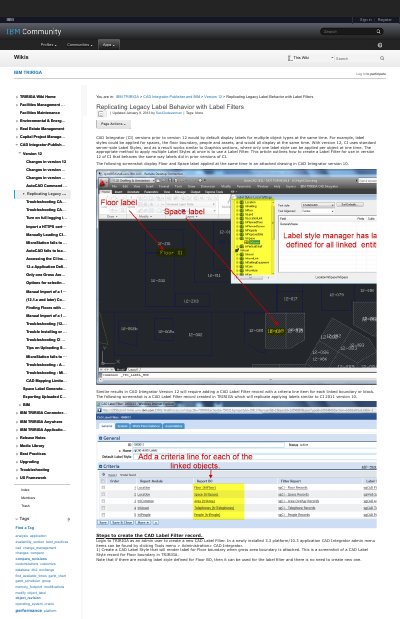
This document describes how to replicate legacy CAD label behavior in IBM TRIRIGA CAD Integrator-Publisher Version 12 using Label Filters. It explains that Version 12 applies only one label style per object, unlike earlier versions that displayed multiple label styles simultaneously.
The guide provides step-by-step instructions for creating CAD Label Styles and a CAD Label Filter record for Floor, Space, Area Overlay, Assets, and People, then applying the filter in the default theme record.
| CAD Integrator version | Version 12 |
|---|---|
| Platform/application | 3.3 platform/10.3 application |
In version 12, CI uses standard server-side Label Styles, so only one label style can be applied per object at one time.
Use a Label Filter to apply multiple Label Styles at once in Version 12 of CI.
Log in to TRIRIGA as an admin user and navigate to Tools menu > Administration > CAD Integrator.