
IBM Workload Scheduler is a state-of-the-art production workload manager for distributed platforms, designed to help you meet your present and future data processing challenges. It is part of the IBM Workload Automation product family.
This guide helps you install IBM Workload Scheduler Version 9.5 quickly. It covers hardware evaluation, installation architecture, and configuration steps. You can install using standard scripts or Docker containers. After setup, access the Dynamic Workload Console via HTTPS or HTTP to start scheduling workloads.
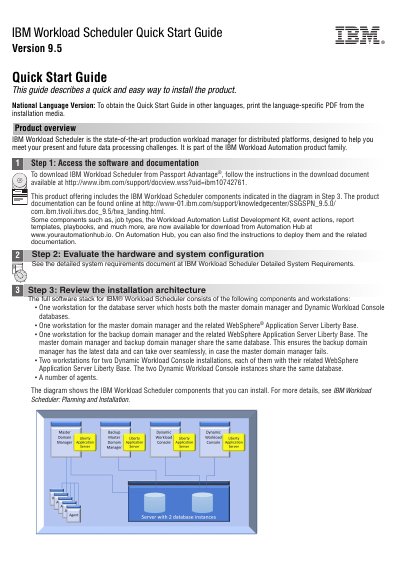
The product includes components like master and backup domain managers, Dynamic Workload Console, and agents. It supports DB2, Oracle, SQL Server, or Informix databases. Documentation and additional resources are available online and on Automation Hub.
It is a production workload manager for distributed platforms designed to help meet data processing challenges.
You log in by connecting to https://
You can access it using either the secure HTTPS or HTTP protocol.