
The IBM® Security Access Manager hardware appliance helps organizations secure and manage mobile user access and protect mobile applications against fraudulent unauthorized access.
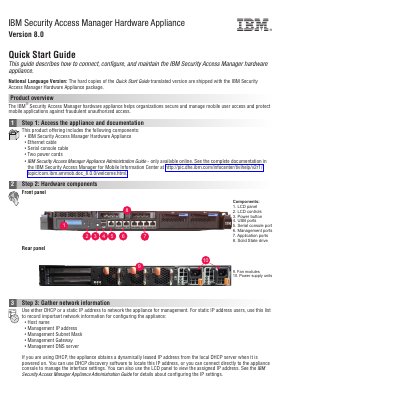
The IBM Security Access Manager hardware appliance helps organizations secure and manage mobile user access and protect mobile applications against fraudulent unauthorized access. The package includes the appliance, an Ethernet cable, a serial console cable, two power cords, and online administration documentation.
Setup involves gathering network information, running the Appliance Setup wizard through the console or Local Management Interface, installing and powering on the appliance, then completing initial configuration such as licensing, password, networking, and date and time settings.
| Included power cords | Two |
|---|---|
| Storage drive | Solid State drive |
The default password is admin, and it should be changed immediately when prompted by the wizard.
It can use either DHCP or a static IP address to network the appliance for management.
Proceed to the next step in the setup process.