
The Dell Inspiron 15-3559 Quick Start Guide provides basic information and instructions on how to use the laptop.
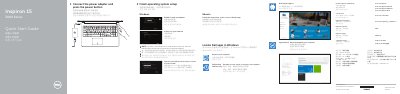
This guide helps set up the Dell Inspiron 15-3559 by connecting the power adapter, pressing the power button, and finishing operating system setup for Windows or Ubuntu. It also covers enabling security and updates, connecting to a network, and signing in to a Microsoft account or creating a local account.
The guide identifies the laptop's ports, indicators, camera, microphone, battery, and service tag, and lists shortcut keys for audio, brightness, display, search, and wireless functions. It also points to Dell support, manuals, specifications, and contact information.
| Rated voltage | 100-240 V AC |
|---|---|
| Rated frequency | 50-60 Hz |
| Rated input current | 1.30 A (45 W) / 1.70 A (65 W) |
| USB 3.0 ports | 1 |
| USB 2.0 ports | 2 |
| HDMI port | 1 |
| Network port | 1 |
| Media-card reader | 1 |
Enter the password for the wireless network access when prompted.
Visit Dell.com/support and Dell.com/support/manuals.
See Specifications at Dell.com/support.
Follow the instructions on the screen to finish setup.