
Dell Graphics Card Quick Setup Guide
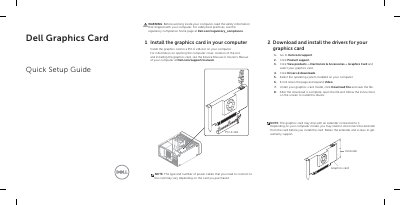
This Dell Quick Setup Guide covers installing a PCI-E x16 graphics card in a desktop computer and downloading and installing the matching drivers from Dell.com/support. It notes that the card may include a connected extender that must be disconnected before installation and retained for warranty support.
The guide also points to the computer's Service Manual or Owner's Manual for cover-opening and slot details, lists safety and regulatory resources, and includes Dell's terms of sale, limited hardware warranty, and service contract information.
| Installation slot | PCI-E x16 |
|---|---|
| Driver download path | Dell.com/support > Product support > View products > Electronics & Accessories > Graphics Card > Drivers & downloads |
| Document date | 2015-06 |
Go to Dell.com/support, select Product support, then View products > Electronics & Accessories > Graphics Card, choose your card, and click Drivers & downloads.
The graphics card is installed in a PCI-E x16 slot on your computer.
Disconnect the extender from the card before installing the card, and retain the extender and screws to get warranty support.
See the Service Manual or Owner's Manual of your computer at Dell.com/support/manuals.