
The Dell Latitude 14 3480 3000 Series Notebook Quick Start Guide.
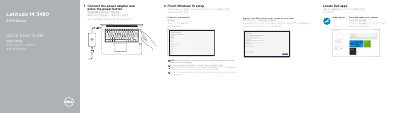
This quick start guide shows the initial setup steps for the Dell Latitude 14 3480 3000 Series notebook, including connecting the power adapter, pressing the power button, finishing Windows 10 setup, connecting to a network, and signing in.
It also identifies notebook features and ports, lists product support and manual resources, and provides regulatory and safety information such as the regulatory model P79G and Taiwan RoHS details.
| Regulatory model | P79G |
|---|---|
| Regulatory type | P79G001 |
| Computer model | Latitude 14-3480 |
| Rated voltage | 100-240 V AC |
| Rated frequency | 50-60 Hz |
| Rated input current | 1.6 A / 1.7 A |
Dell lists product support at Dell.com/support and manuals at Dell.com/support/manuals.
The guide identifies ports such as VGA, USB 2.0, USB 3.0, USB 3.0 with PowerShare, HDMI, network, and a memory card reader, plus an optional SIM-card slot and fingerprint reader.
The regulatory model number is P79G.
Connect the power adapter, press the power button, and finish Windows 10 setup.