
Getting Started Guide for Dell Servers
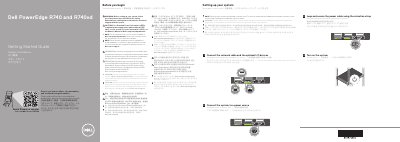
This two-page getting started guide from Dell covers the initial setup of a PowerEdge R740 and R740xd system. It walks through connecting the network cable and optional I/O devices, connecting the system to a power source, looping and securing the power cable with the retention strap, and turning on the system. It also reminds the reader to follow the safety instructions shipped with the system and to install the operating system before adding hardware or software not purchased with the system.
The second page lists the technical specifications required by law to ship with the system, including the available power supply unit ratings, the system battery, and the maximum ambient temperature for continuous operation. The text is printed in several languages, including English, Indonesian, Chinese, Japanese, and Korean.
| Power supply option | 2400 W Platinum AC 100–240 V, 50/60 Hz, 16 A (derated to 1400 W at low line 100–120 V AC) |
|---|---|
| Power supply option | 2000 W Platinum AC 100–240 V, 50/60 Hz, 11.5 A (derated to 1000 W at low line 100–120 V AC) |
| Power supply option | 1600 W Platinum AC 100–240 V, 50/60 Hz, 10 A (derated to 800 W at low line 100–120 V AC) |
| Power supply option | 1100 W DC (-(48–60)) V, 32 A |
| Power supply option | 750 W Titanium AC 200–240 V, 50/60 Hz, 5 A |
| Power supply option | 495 W Platinum AC 100–240 V, 50/60 Hz, 6.5 A–3 A |
| System battery | 3 V CR2032 lithium coin cell |
| Maximum ambient temperature for continuous operation | 40°C/104°F |
Follow the safety instructions included in the Safety, Environmental, and Regulatory Information document that ships with the system.
Use Extended Power Performance (EPP) compliant power supply units, which are indicated by the EPP label.
Yes. PSUs rated for 1600 W and higher require high-line voltage (200–240 V AC) to supply their rated capacity.
Yes, ensure that the operating system is installed before installing hardware or software not purchased with the system.