
The document is a getting started guide for Dell servers, which introduces how to set up and use the server.
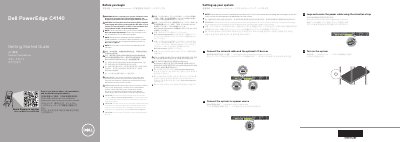
This two-page getting started guide for the Dell PowerEdge C4140 server explains the initial setup steps. It covers connecting the network cable and optional I/O devices, connecting the system to a power source, looping and securing the power cable with a retention strap, and turning on the system. It also includes safety and EPP power supply notes and points to Dell.com/poweredgemanuals for the full documentation set.
The technical specifications section lists 2400 W and 2000 W Platinum AC power supply ratings with low-line derating, a 3 V CR2032 system battery, and a maximum continuous-operation ambient temperature of 25°C/77°F. The document text is provided in English, Chinese, Indonesian, Japanese, and Korean.
| Power rating per PSU (2400 W) | 2400 W Platinum AC 100–240 V, 50/60 Hz, 16 A |
|---|---|
| Power rating per PSU (2000 W) | 2000 W Platinum AC 100–240 V, 50/60 Hz, 11.5 A |
| PSU derating at low line (2400 W PSU) | 1400 W at 100–120 V AC |
| PSU derating at low line (2000 W PSU) | 1000 W at 100–120 V AC |
| System battery | 3 V CR2032 lithium coin cell |
| Maximum ambient temperature for continuous operation | 25°C/77°F |
| IT power system phase-to-phase voltage | Not exceeding 230 V |
Use Extended Power Performance (EPP) compliant power supply units, indicated by the EPP label.
The maximum ambient temperature for continuous operation is 25°C/77°F.
It uses a 3 V CR2032 lithium coin cell.
The Installation and Service Manual is available at Dell.com/poweredgemanuals.