
Dell W2600 LCD TV 26” Setup Guide. Before setting up and operating your Dell™ TV, see the safety instructions in the Product Information Guide. Also, see your Owner’s Manual for a complete list of features.
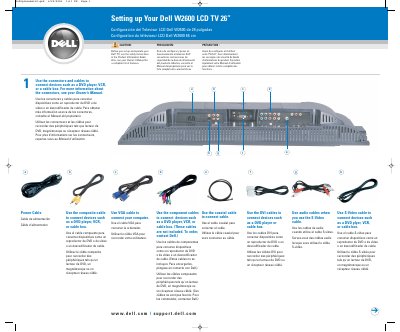
This document is a multilingual setup guide for the Dell W2600 26-inch LCD TV. It shows how to connect devices using power, composite, VGA, component, coaxial, DVI, audio, and S-Video cables, install remote control batteries, plug in and turn on the TV, and select the proper input source.
It also explains how to access the on-screen display with the remote control Menu button and lists input source mappings such as VGA, DVI, TV, and AV1 through AV6. Additional tips cover channel setup after connecting through the ANT/Cable connector.
| Screen size | 26 inches (66 cm) |
|---|---|
| Input sources | VGA, DVI, TV, AV1, AV2, AV3, AV4, AV5, AV6 |
Press Input on the remote control, then choose the source that matches the connectors used.
Press Menu on the remote control to access the OSD and adjust settings.
Read the safety instructions in the Product Information Guide and the Owner's Manual.
Select TV from the Input Source menu, then select Setup and the desired channel.