
The Dell EMC PowerVault ME4 Series storage appliance is an entry-level storage solution designed for small and medium businesses. It features a modular design that allows for scalability of capacity and performance as needed. The PowerVault ME4 Series storage appliance supports multiple storage protocols, including iSCSI, FC, and SAS, to meet the needs of a variety of applications.
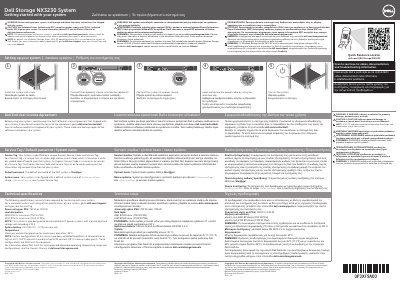
This document provides getting started instructions for the Dell Storage NX3230 System. It tells users to read the shipped safety instructions, use EPP-compliant PSUs, check documentation updates, and notes that Windows Storage Server 2012 R2 is installed at the Dell factory by default.
The guide lists setup steps for installing the system into a rack, connecting a keyboard, mouse, and monitor, connecting power, securing the power cable, and turning on the system. It also includes the Dell End User License Agreement notice, required technical specifications, warning definitions, Quick Resource Locator information, and Service Tag, default password, and default system name details.
| Power rating per PSU | 750 W or 1100 W |
|---|---|
| Heat dissipation (750 W PSU) | 2891 BTU/hr maximum |
| Heat dissipation (1100 W PSU) | 4100 BTU/hr maximum |
| IT power system phase-to-phase voltage | Not exceeding 230 V |
| System battery | CR 2032 3.0 – V lithium coin cell |
| Maximum ambient temperature for continuous operation | 35°C |
| Expanded operating temperature (certain configurations) | Up to 45°C (113°F) |
| Expanded operating humidity (certain configurations) | Up to 90 percent (29°C maximum dew point) |
| Default operating system | Windows Storage Server 2012 R2 |
Use Extended Power Performance (EPP) compliant power supply units (PSUs), indicated by the EPP label on the system.
The default password is Stor@ge!
The default system name is D
Pull out the information tag located at the front of the system.