
This document is a quick start guide for Dell computers, which introduces how to set up and operate a Dell computer.
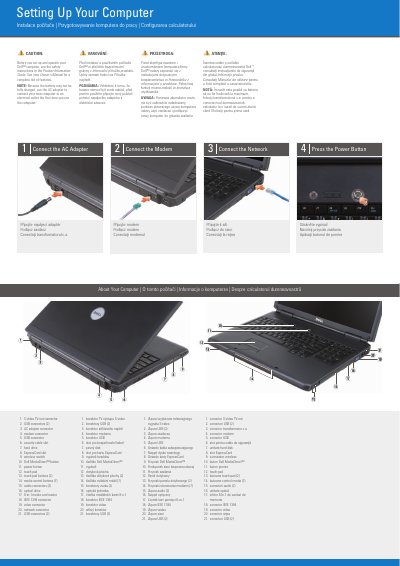
This Dell quick start guide shows how to set up a Dell computer. It covers connecting the AC adapter, modem and network, pressing the power button, and identifying ports and features.
The guide also includes a labeled list of computer parts, an optional wireless network diagram, and where to find answers in the Owner's Manual or at support.dell.com. The text is presented in English, Czech, Polish and Romanian.
| Media card reader | 8-in-1 |
|---|---|
| Media control buttons | 7 |
| Touch pad buttons | 2 |
| Audio connectors | 2 |
| USB connectors | 2 |
| Wireless network | Optional |
The guide says to see the safety instructions in the Product Information Guide.
Because the battery may not be fully charged.
See your Owner's Manual for more information.
Click the Documentation and Support icon on the desktop or go to support.dell.com.