
The Dell Latitude 7280 Quick Start Guide introduces the features and characteristics of the product.
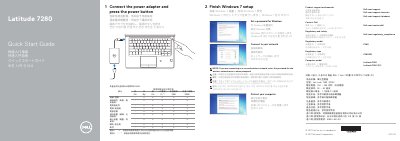
The Dell Latitude 7280 quick start guide shows how to connect the power adapter, press the power button, complete Windows 7 setup, set a Windows password, connect to a network, and protect the computer. It also lists product support, contact, regulatory, and safety links.
The guide includes a numbered features diagram identifying the camera, microphones, power button, ports, optional fingerprint reader, NFC sensor, smartcard reader, and service tag label. Regulatory model P28S and computer model Latitude 7280 are listed.
| Rated voltage | 100–240 V AC |
|---|---|
| Rated frequency | 50–60 Hz |
| Rated input current | 1.7 A / 2.5 A |
Connect the power adapter and press the power button.
Enter the password for the wireless network access when prompted.
Dell.com/support, Dell.com/support/manuals, and Dell.com/support/windows.