
Setup instructions for a Dell laptop.
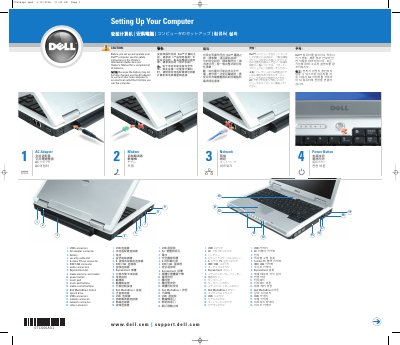
This guide shows how to set up a Dell Inspiron computer for first use, including connecting the AC adapter because the battery may not be fully charged. It also identifies the computer's connectors and controls.
It explains how to check for an installed wireless network card and points readers to the Inspiron Owner's Manual for features, troubleshooting, parts replacement, and additional device setup.
Yes. Because the battery may not be fully charged, use the AC adapter to connect the computer to an electrical outlet the first time you use it.
Click Start, point to Connect To, click Show all connections, and verify that Wireless Network Connection is present under LAN or High-Speed Internet.
See the Inspiron Owner's Manual for additional information about the computer.