
Dell E-Port 1 Connect Notebook Docking Station Installation Guide

User Manual for Dell™ E-Port Notebook Docking Station
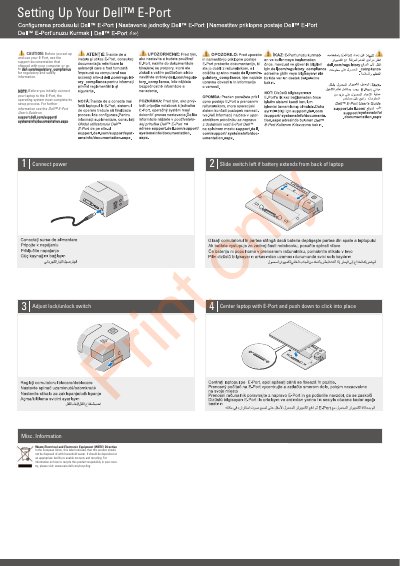

Dell E-Port 1 Connect Notebook Docking Station Installation Guide - cover page
Brand
DELL
Category
Other Computer Accessories
Document type
Installation Guide
Language
English
Pages
2
File format
PDF
File size
1.8 MB
Published
25 November, 2023
Updated
25 November, 2023
MD5 checksum
8B18E820EF3C518C45121D965F4A6385

About this manual

The Dell E-Port 1 Connect is a notebook docking station designed for easy laptop integration. The guide provides instructions on centering the laptop and securing it into place using the lock/unlock switch.

It includes specific adjustments for laptops with extending batteries and provides regulatory information regarding the Waste Electrical and Electronic Equipment (WEEE) Directive for European Union users.

What's inside

  • Setting Up Your Dell E-Port 1 Connect
  • Waste Electrical and Electronic Equipment (WEEE) Directive

Frequently asked questions

How do I install the laptop into the E-Port?

Center the laptop with the E-Port and push down until it clicks into place.

What should I do if my laptop battery extends from the back?

Slide the switch to the left.

Download PDF (1.8 MB)

More DELL Manuals


View all DELL manuals →