
The Dell PowerEdge T30 Getting Started Guide describes the features and characteristics of the product.
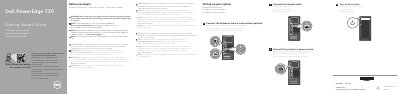
The Dell PowerEdge T30 Getting Started Guide provides essential instructions for the initial setup of the server, including connecting peripherals, network cables, and power sources.
It outlines critical prerequisites, such as installing the operating system before adding third-party hardware and the requirement for a SATA controller card when using more than four SATA hard drives.
| Power rating per PSU | 290 W AC (100–240 V, 50/60 Hz, 5.4 A) |
|---|---|
| System battery | 3 V CR2032 lithium coin cell |
| Maximum ambient temperature | 10 °C (50 °F)–35 °C (95 °F) |
A SATA controller card is required if you install more than four SATA hard drives.
The operating system must be installed before installing any hardware or software not purchased with the system.