
Dell JW856ap0 Computer Setup Guide

A setup guide for Dell™ computer.
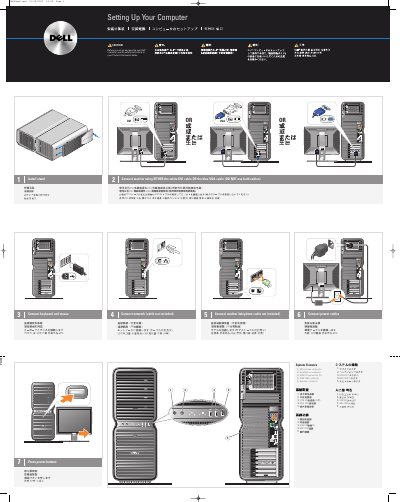

Dell JW856ap0 Computer Setup Guide - cover page
Brand
DELL
Category
Desktops
Document type
User Manual
Language
English
Pages
2
File format
PDF
File size
4.1 MB
Published
25 November, 2023
Updated
25 November, 2023
MD5 checksum
12F000B3873CADE35CF8037D0B57655E

About this manual

This document provides step-by-step instructions for setting up a Dell computer, including folding out the stand, connecting the keyboard and mouse, and attaching network and power cables. It also details the connection options for monitors using DVI or VGA cables.

What's inside

  • Setting Up Your Computer
  • System Features
  • Connect monitor
  • What's Next
  • Wireless Network

Specifications

USB 2.0 connectors2
IEEE 1394 connector1

Frequently asked questions

Which cables can be used to connect the monitor?

You can use either the white DVI cable or the blue VGA cable, but do not use both.

Where can I find more information about the computer?

For additional information, visit support.dell.com or click Start, then click Help and Support.

Download PDF (4.1 MB)

More DELL Manuals


View all DELL manuals →