
The Dell Precision Tower 3420 Quick Start Guide provides information on how to set up and use the Dell Precision Tower 3420 desktop computer.
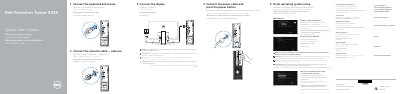
The Dell Precision Tower 3420 Quick Start Guide is a multilingual setup leaflet for the Dell Precision Tower 3420 computer. It covers finishing operating system setup, enabling security and updates, connecting to a network, signing in to a Microsoft account or creating a local account, and connecting the keyboard, mouse, network cable, power cable, and display.
It also lists hardware features such as the optical drive, USB 2.0 and USB 3.0 connectors, HDMI and DisplayPort connectors, serial port, PS/2 keyboard and mouse connectors, expansion-card slots, power-supply diagnostic button and light, and security cable options. Support links, Dell apps for Windows 8.1, and a note about manually installing system drivers when upgrading from Windows 7 32-bit to Windows 10 are included.
| Computer model | Dell Precision Tower 3420 |
|---|---|
| USB 2.0 connectors | Supports ACPI S5 wakeup |
| SD card reader | Optional |
| VGA port connector | Optional |
Connect the display to the discrete graphics card.
Enter the password for the wireless network access when prompted.
Follow the instructions on the screen to finish setup.
At Dell.com/support and Dell.com/support/manuals.